IT at your students' fingertips

KUBO IT Lab

A robust computer at every seat, affordable to run and easy to fix, designed to keep working through dust, heat, power cuts and tight budgets.

What an IT lab has to survive

An IT lab is more than just the computers. In the schools we work with it also means power that keeps them on, a network and content that work without internet, and upkeep with little IT support on hand, all on a tight budget and in hard conditions. The KUBO IT Lab is designed around exactly these realities, from the ground up, so every choice that follows answers one of them.

Common challenges
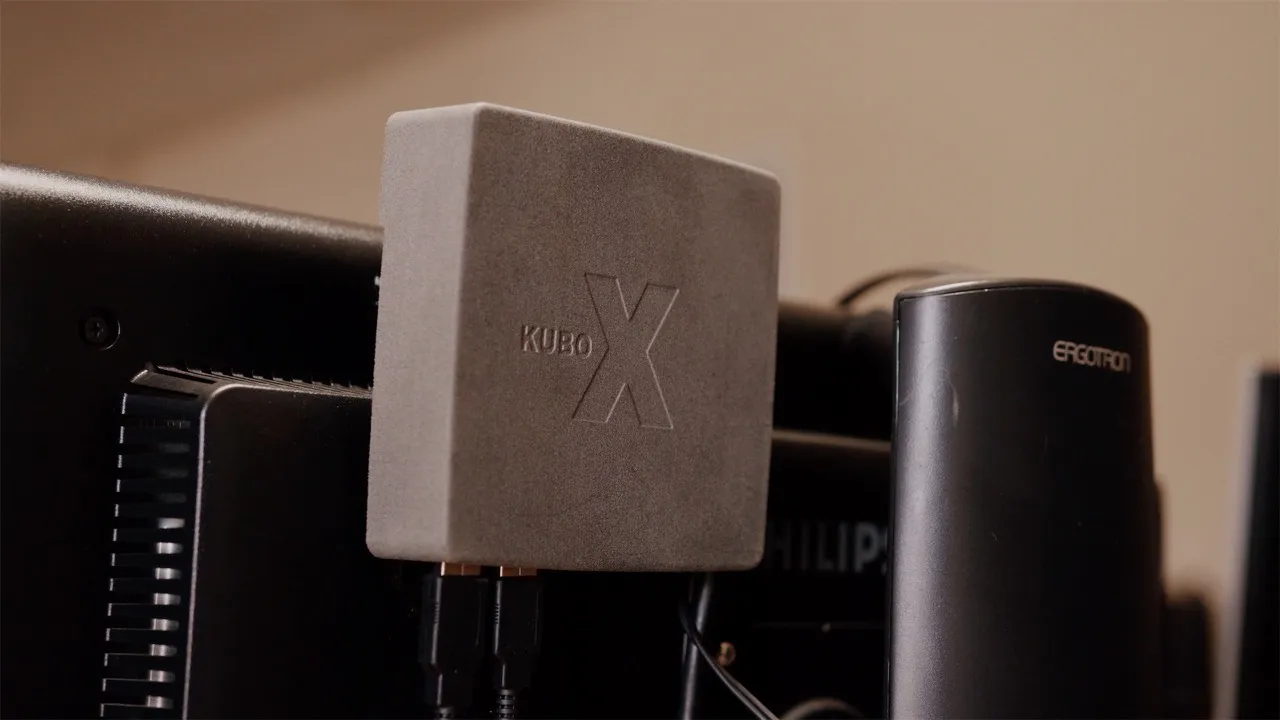
The KUBO X, a Raspberry Pi in a custom case mounted behind a monitor
The workstation · open hardware

An enclosure built for the classroom

The KUBO X is the second iteration of our open enclosure, designed by our teammate Jelle Aarts around the same constraints as the lab.

  • Shields the Raspberry Pi from dust, heat and knocks
  • Locks the board and its SD card against theft
  • Tidies away every cable
  • Mounts behind any monitor

Soon you can order the finished casing from us, produced in series once the mold is funded. It evolved from his original V1, featured on Instructables.
Launch campaign

Help us unlock KUBO for every school

We went from one school to five pilot schools across two countries. KUBO is proven, and we are ready to deliver it to many more.

One piece is missing. Every workstation's KUBO X casing is still 3D-printed, one at a time, too slow and too costly to go beyond the pilots. An injection mold changes that: produced in series, every casing becomes an estimated ten times cheaper.

The mold is a one-time investment of €5,000, and every contribution moves the bar. This is where you become a change maker: the mold you fund makes KUBO affordable enough for every school.

Unlocking KUBO for every school…

Donations run through Afrodidact, the nonprofit behind KUBO.

What goes into a lab?

Everything a full lab involves, at a glance. During planning we go through this list together and start from what your school already has.

On every desk

KUBO X computer A Raspberry Pi 4 or 5 in our sturdy casing, mounted behind the screen.

Screen, keyboard & mouse Any monitor with an HDMI or DVI-D connection works, so screens the school already has can often be reused.

Once per lab

KUBO Offline Server The lab's heart: it brings the WiFi, the offline library and the school platform, with battery backup and an optional internet link. More on the server →

WiFi access point Optional: extends the range when one room is not enough.

Beamer & printer Optional shared extras for teaching and paperwork.

Around the lab

Furniture Desks and chairs, usually sourced locally.

A trained team Teachers and a caretaker who know the lab; we train them.

Wondering about the budget? See the order of magnitude on the get-started page →

Built on free, open-source software

No per-seat licences, ever. Each lab comes loaded with proven open tools, from the desktop to the classroom content.

On each computer
Raspberry Pi OSA familiar point-and-click desktop with files & folders
LibreOffice Writer, Calc & Impress: the alternative to Word, Excel & PowerPoint
ScratchVisual coding
ChromiumThe browser, for the offline library and the web
VLCPlays any video and audio
PythonText-based coding in Thonny
Tux MathPractice math through play
Tux TypingLearn to type through play

And this is just the start: the lab runs Raspberry Pi OS (Bookworm), so the whole Debian ecosystem of free software is one install away. Logos belong to their respective projects.

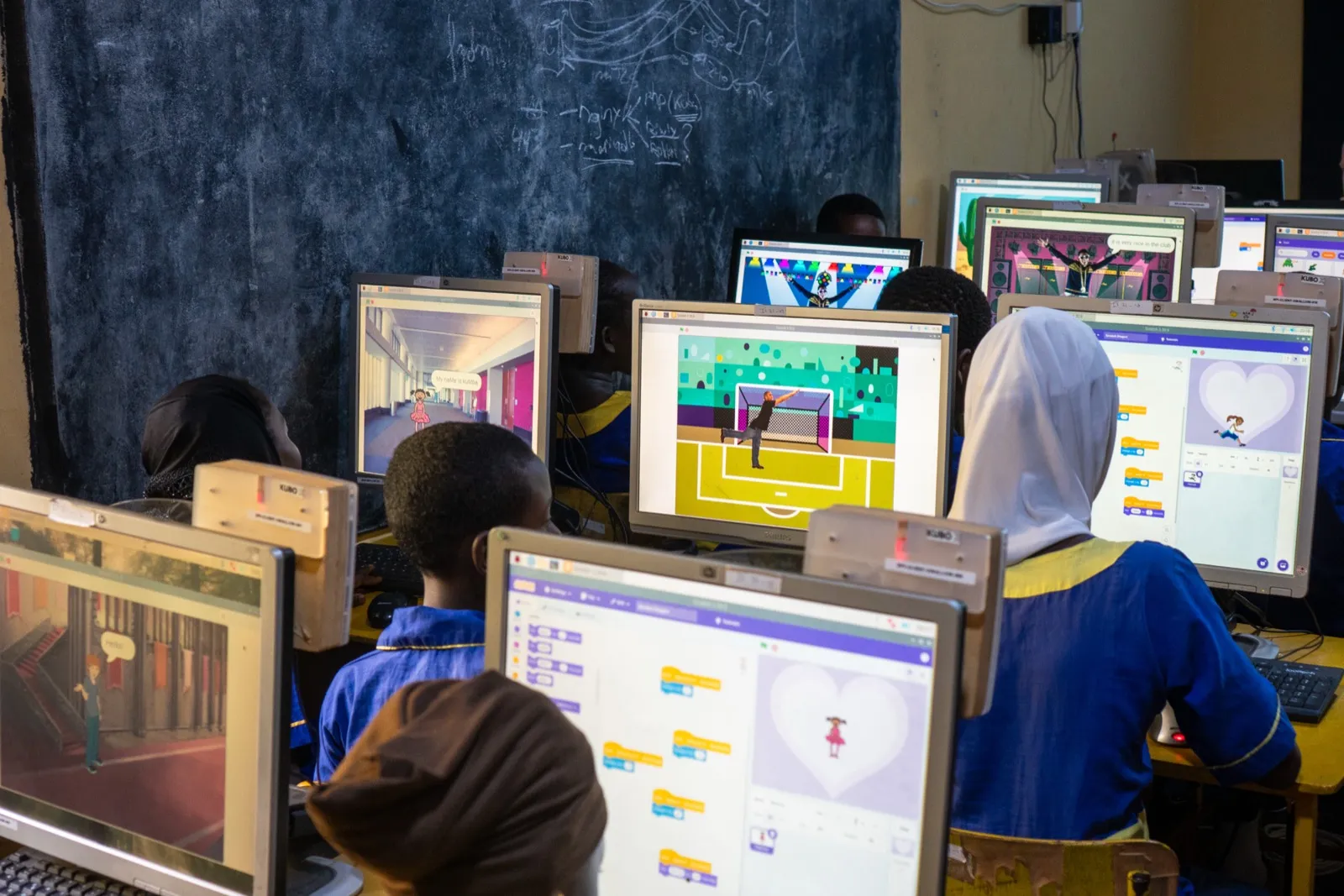
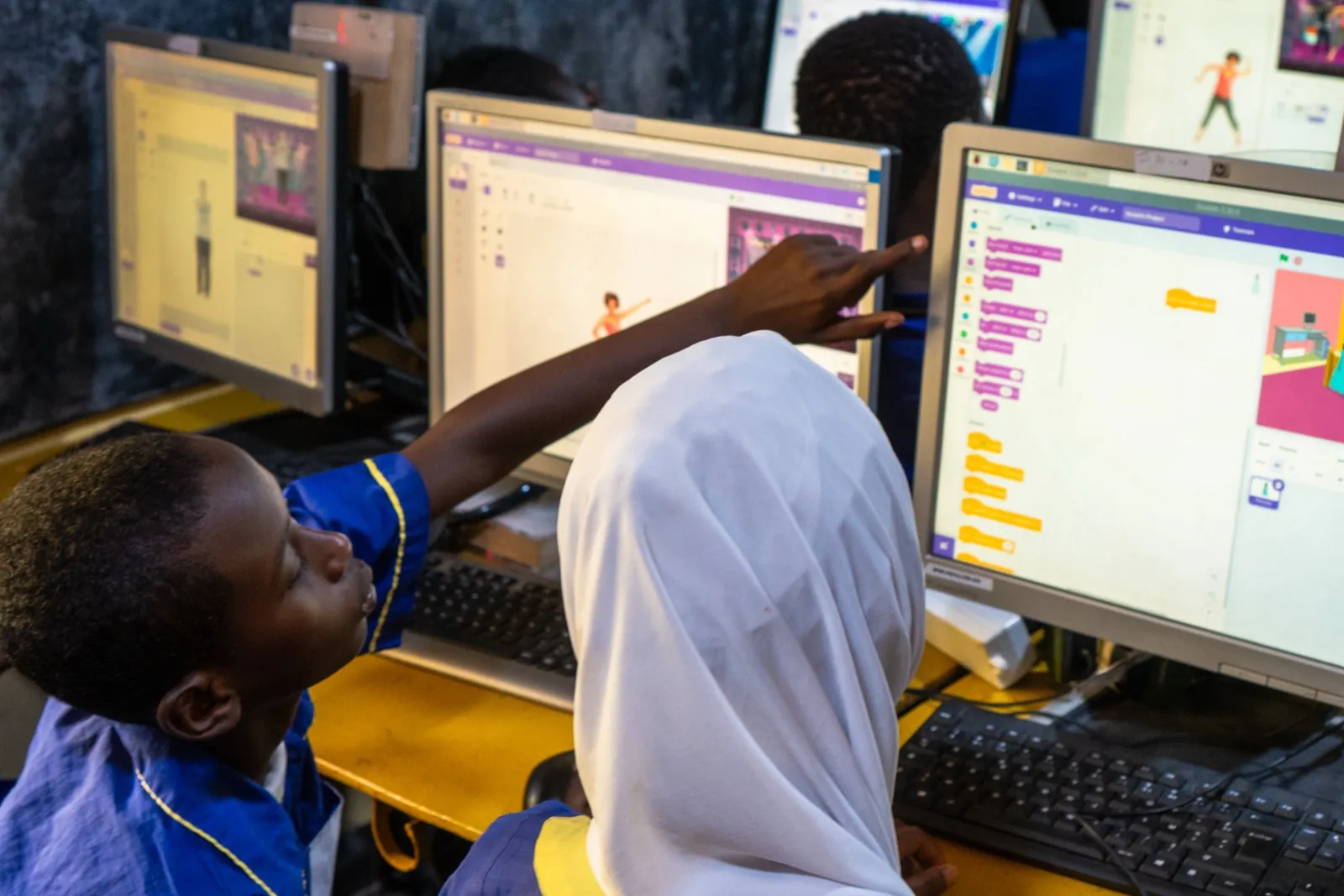
A Scratch lesson at The Swallow: every pupil builds their own project, each on their own KUBO X.

Maximize your lab's impact with the Offline Server

The KUBO Offline Server sits behind every seat: it serves the offline content library and runs the school platform, keeping the whole lab working even without internet. And it all works together: the Learn module serves each pupil exercises from the library at their own level, and reports mastery back to the school platform.

Explore the server →

Why we build on the Raspberry Pi

A Raspberry Pi is a small, affordable computer about the size of a deck of cards, yet a complete one that runs an operating system, software and the web. Millions are in use in schools and projects worldwide, and for the conditions our schools work with, we find it the perfect fit.

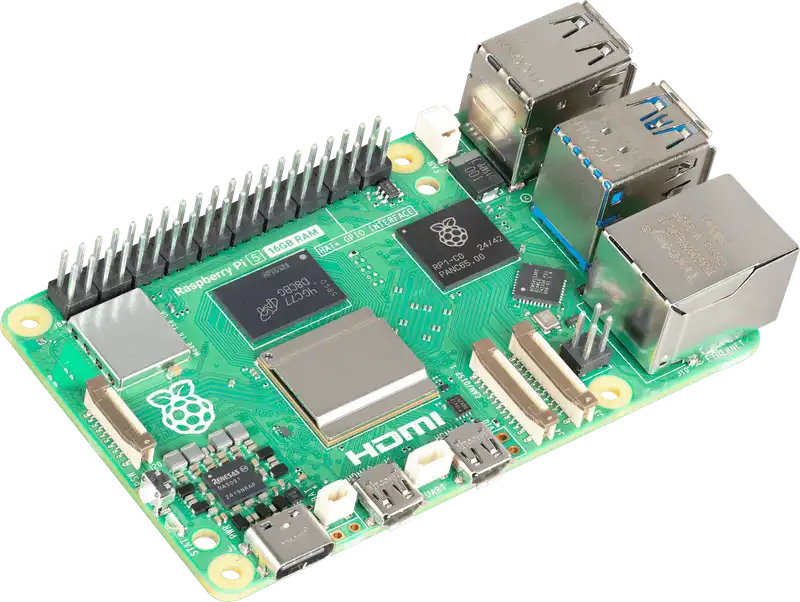
A Raspberry Pi 5 single-board computer
Raspberry Pi 5 · image from raspberrypi.com
  • Low cost, low powerA full computer for a fraction of a PC's price, running on only a few watts, so it fits tight budgets and limited or solar power.
  • Proven and everywhereTens of millions are in use worldwide, with a huge community, mature software, and parts that stay available for years.
  • Standard, replaceable partsEasy to source and swap, with the whole system on a cheap SD card, so repairs and upgrades stay simple anywhere.
  • Made for learningDesigned from the start for education and tinkering, the ideal base for a hands-on computer class.

Built around the constraints

We don't wait for ideal conditions. Every choice starts from the hard limits schools actually work with, so the lab stays affordable, maintainable and open. Here is how it answers each one.

The constraint How the KUBO IT Lab answers it
Limited IT skills on site Identical machines; restore any one in minutes
Tight budget Low-cost Pi, free open-source software
Power supply ~30 W a seat, measured in the lab
Intermittent internet Works fully offline; a weak line is enough to sync
Scarce spare parts Standard Pi parts & SD cards, swap in minutes
Growth & upgrades Add seats anytime; upgrade by swapping the Pi
Heat & dust Low heat output, casing built for airflow
Theft & damage Secured custom casing, tidy desks
Data safety Automated, cloud-recoverable backups
Future skills & freedom Transfers to Windows & Mac, open standards

Ready to bring KUBO to your school?

The lab is one part of the KUBO setup. See the ways to get it and plan the whole thing.

Get started →

An open design. The KUBO X is open hardware, shared under CC BY-NC-SA 4.0: credit Jelle Aarts, non-commercial, share-alike. Want to build on the design or adapt it to your context? and we think along.

Request the KUBO X design files

The enclosure is open hardware, shared under a CC BY-NC-SA 4.0 licence. We're happy to send you the files, and we'd love to hear who's building it and how you'll use it.